One flight, read properly
Step response per axis, a noise map across throttle and frequency, and findings that show the measurement behind them. When one calls for a change, the CLI lines that make it are ready to paste.
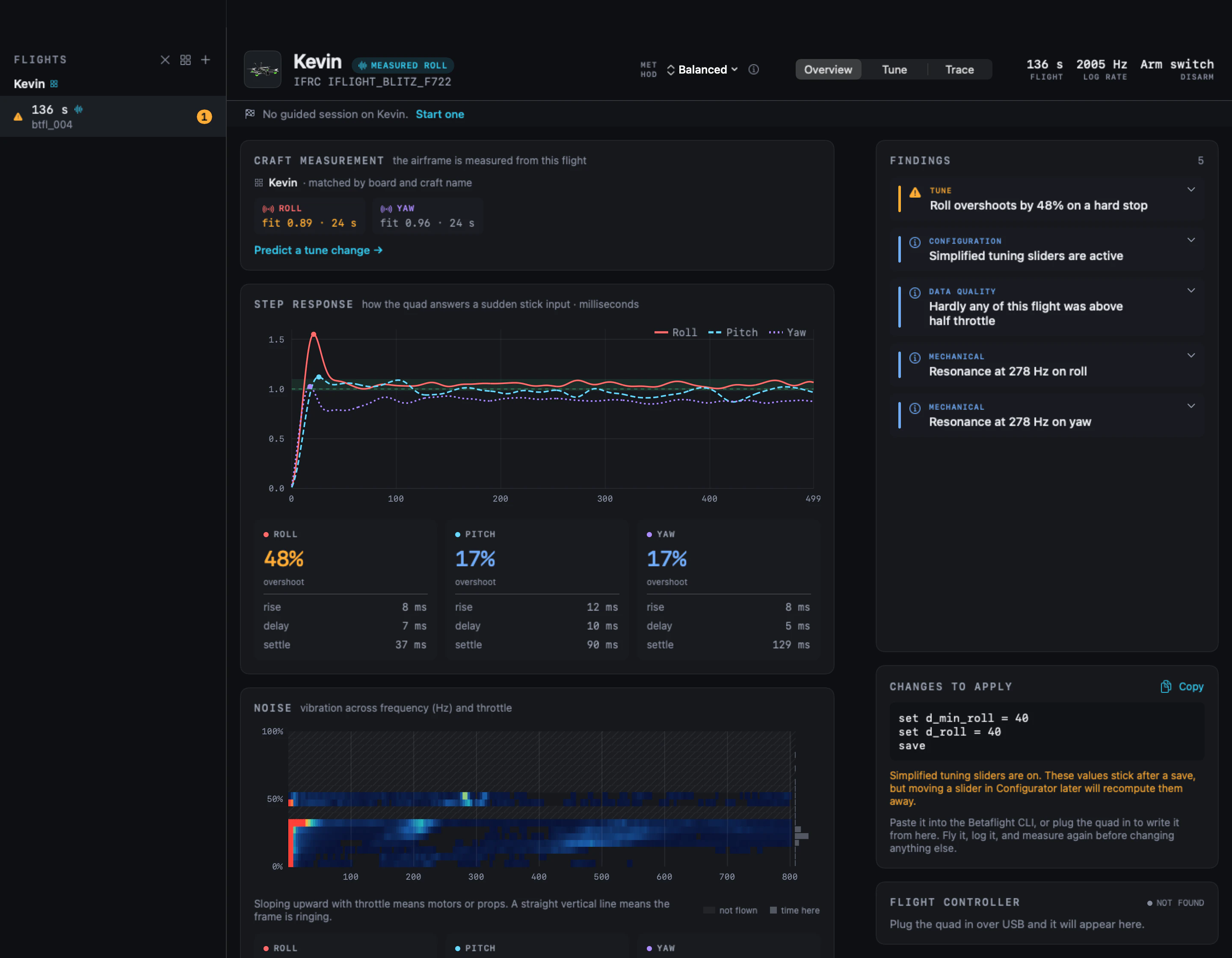
d_min_roll and
d_roll together, because Betaflight 4.5 holds D as a pair. The next
section shows what that change does before it is flown.
The step response of a tune you haven’t flown
Your PIDs change on a whim. The mass, the motors and the props do not. Once those are measured you can try any tune against them without leaving the bench.
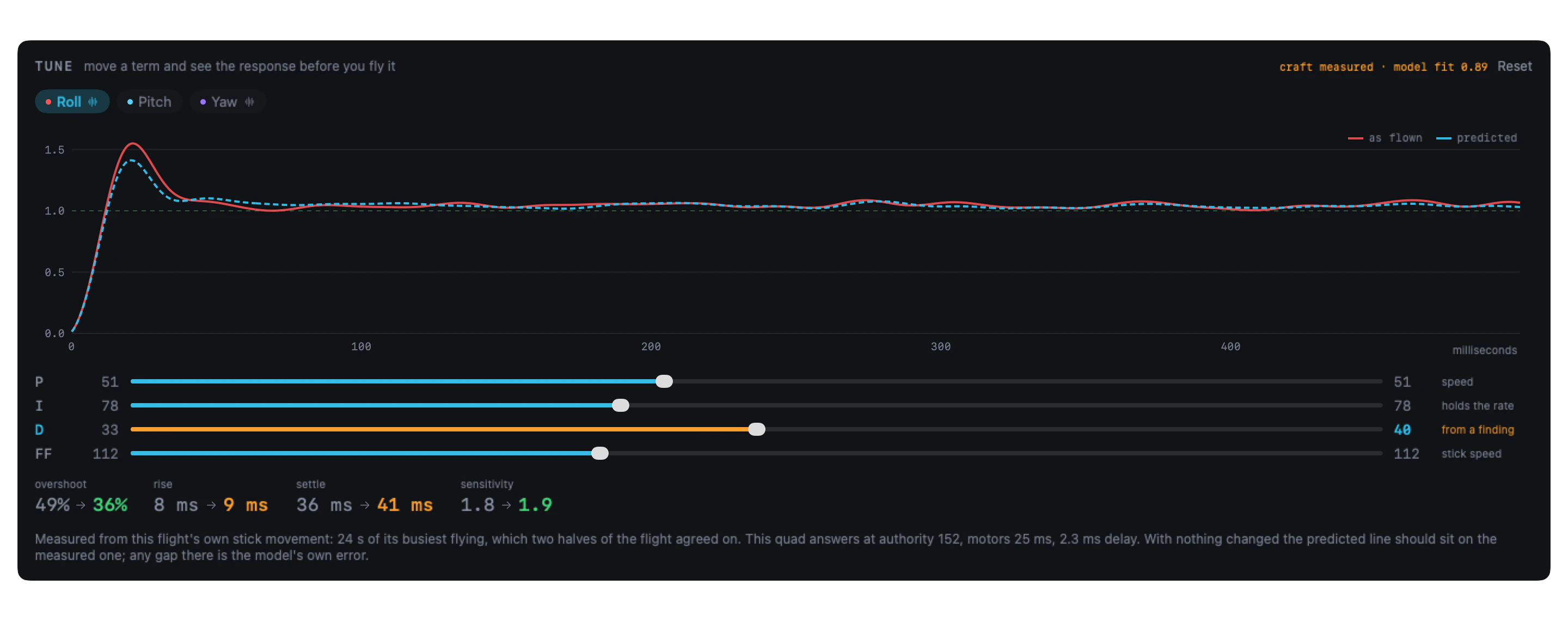
Here a finding suggested D from 33 to 40 on roll, and the dashed line is what the quad would do: less overshoot, bought with a slower settle. The readout compares the model with itself, so the arrow is the change alone: its 49% is the model’s reading of the flight, a point off the 48% the flight measured. Put everything back and the dashed line lands on the measured one; whatever gap is left is the model showing you its own error.
This quad never flew a sweep. It was measured from the flight’s own stick
movement, because two halves of the flight agreed about it. When they don’t, a
typical 5-inch quad stands in and the numbers are marked indication only,
good for the direction of a change and no more. On yaw, where quads differ too much
for a typical one to stand in, it declines to predict at all.
Filter changes, and the noise they let through
On a supported release, every change in the workbench, PID terms and filters alike, is worked out by the Betaflight release the quad flew. That release flies a model of the quad through the whole flight, on the flight’s own sticks, motor speed and gyro noise, so whatever it does is in the prediction: filters, RC smoothing, feedforward, anti-gravity, TPA and the mixer’s limits.
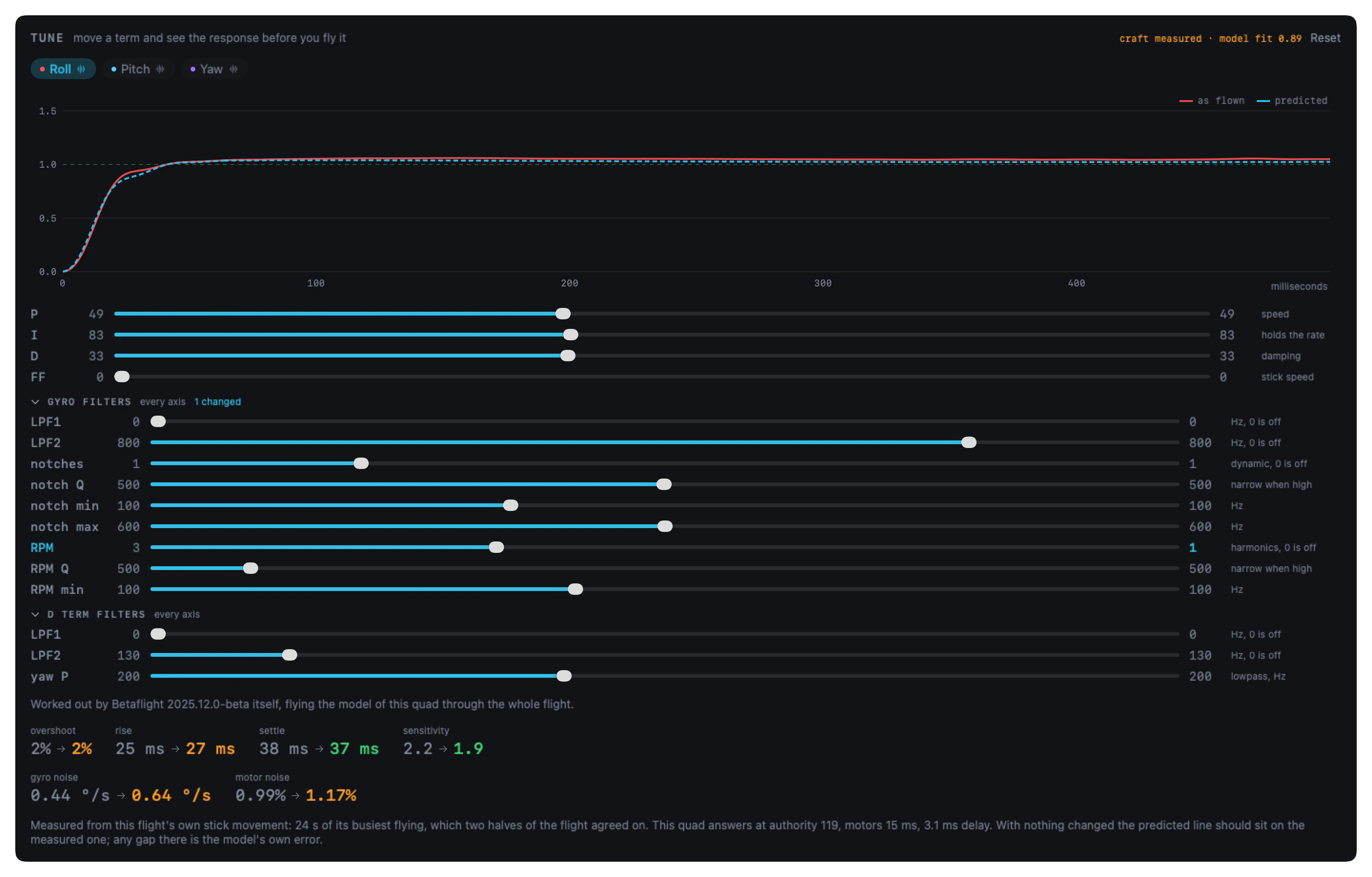
The filter sliders cover the gyro’s LPF1, LPF2 and dynamic notch (count, Q, min and max), the RPM filter on a quad with bidirectional DShot (harmonics, Q and min), and the D term’s LPF1 and LPF2 with yaw’s P lowpass. A setting shows only when the log recorded it. Supported releases are 2026.6.1, 2026.6.2, 2025.12.2, 2025.12.5, one 2025.12 beta and 4.5.2, on an exact match.
Noise is read above 80 Hz: filtered gyro in °/s, and motor output as a share of its range, as flown and after the change. Flown unchanged, the model reproduces the flight’s own noise, on the two sweep quads to within 15% of the log for gyro, 8% for the D term and 6% for the motors. Prop wash and battery sag are not in the model.
A sweep makes it certain
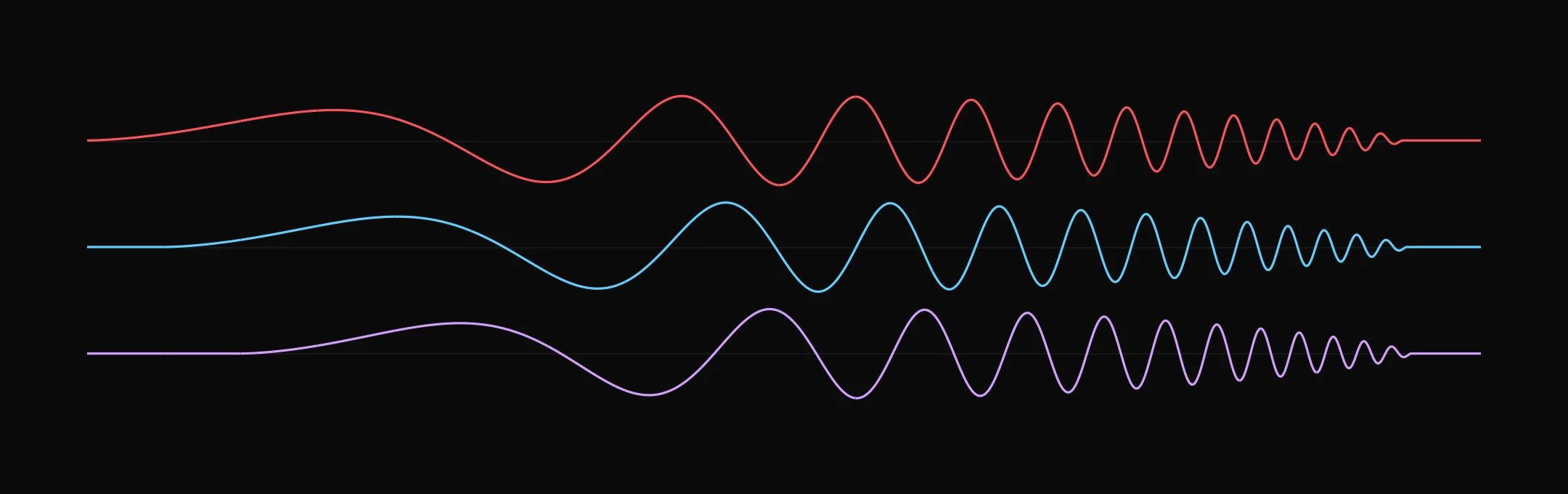
Ordinary flying can measure a quad, when there is enough varied stick in it and two halves of the flight agree about the answer. A chirp leaves nothing to chance: it drives the axis through the whole band on purpose, where a pilot only excites the frequencies they happen to fly at. You start it from a switch and hover while it runs.
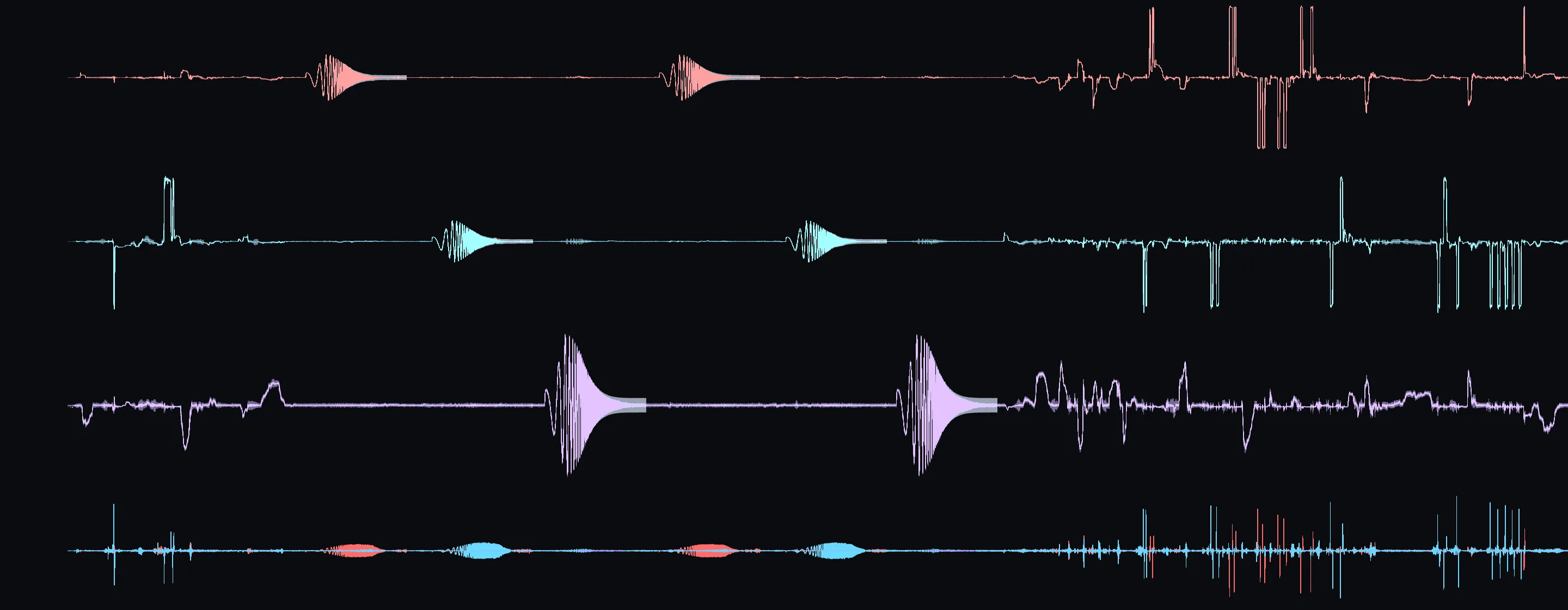
Five packs, one afternoon
A guided run measures one quad properly and holds the model to account. Setpoint says which pack to fly next, checks each log as it lands, and when one does not count, says which pack to refly and why.
Baseline
Your tune as it stands.
The same again
The same tune, flown again. How far two flights on one tune differ is how much the quad varies on its own.
The sweep
A chirp on each axis, so the airframe is measured for certain.
One change
A single change, with its prediction made before you fly it.
Back to the start
The original tune once more. If it matches the first two, nothing drifted over the afternoon.
Packs 1, 2 and 5 are three flights of one tune, and their spread is the bar the prediction has to clear: nothing can be predicted more finely than the quad repeats itself. At the end you have the quad’s measured airframe, and how the change did against what was predicted for it before it flew. On Betaflight 4.5 a run is four packs, because the chirp arrived in 2025.12.
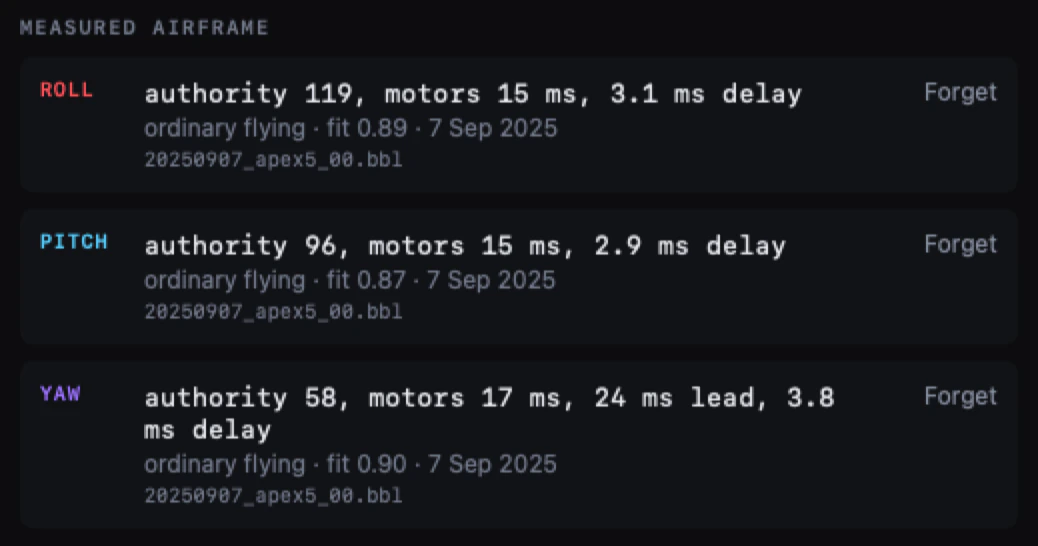
Each quad is measured once, then remembered
The measurement comes from a sweep or from ordinary flying that holds up, and is kept against that quad. Every later flight borrows it: the airframe from last week, the tune from today.
Quads are recognised by the flight controller’s serial number, which Betaflight 2025.12 writes into every log. Rename the craft or reflash the board and it is still the same quad. Logs from 4.5 and earlier carry no serial, so Setpoint goes by board type and craft name instead, and says how sure it is.
A session that knows when to stop
Guided tuning gives you one change at a time across a week of flying, and scores each one on what the next log measured rather than on what it predicted.
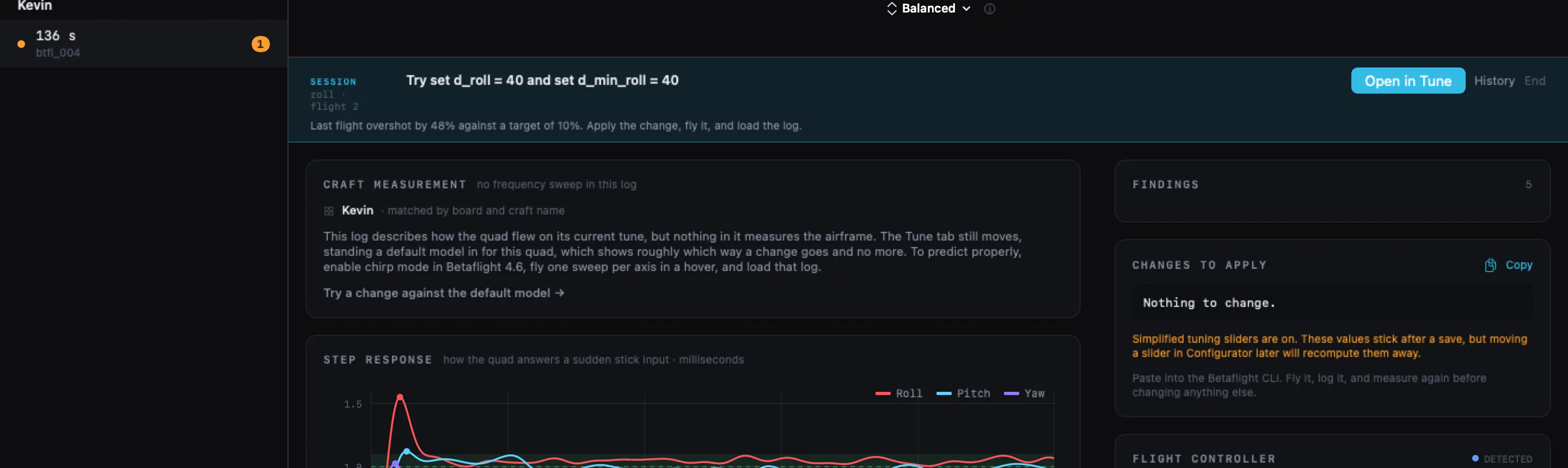
It names one change
One finding’s worth at a time. Change six things at once and you cannot tell which of them helped.
You fly it
Whether the change took is read out of the log. A line typed without a save looks exactly like one that worked.
It measures
Scored on the step response in the returning log. If the change went the wrong way it says so and offers to put it back.
It stops
An axis is done when the method runs out of changes, or when three flights running barely move the response.
Tune it your way
Pilots disagree about how to tune, and Setpoint leaves the choice to you. Pick a method and the same flight is read its way, from the same measurements.
- Balanced
- A little overshoot traded for speed. Small steps, one change at a time.
- UAV Tech
- Critically damped, following UAV Tech’s published PID tuning principles.
- Yours
- Methods are plain JavaScript files. Drop one in a folder and it appears in the picker.
- Shared
- Write your own and pass it round. Nothing about it is built into the app.
Tune with the AI you already use
Setpoint has no AI of its own. It works with the AI you already use: the Claude app, Codex in the ChatGPT app, or agents such as Claude Code and pi. Point it at a log on your Mac and it runs Setpoint’s analysis and predictions for you, with your licence and your quad library.
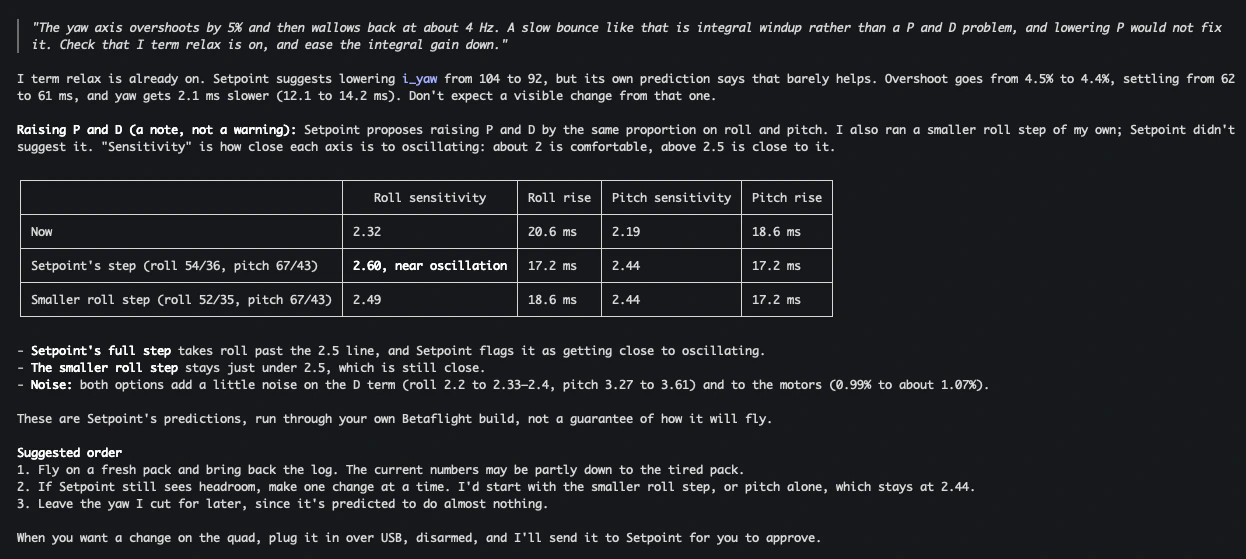
It reads a log the way Setpoint does: the findings and the changes they propose, from the tuning method you picked, the step response per axis, noise and the airframe. It can predict a change before it is flown, with overshoot, rise and how close the loop gets to oscillating, and compare options side by side. It can read settings from a quad plugged in over USB. It opens logs where they are on your Mac, not files attached to a chat, and logs still come off the quad through the app.
Nothing is written to a quad until you approve it in Setpoint. To change one, the AI
asks Setpoint, which shows the request in its own window: each setting from its
current value to the new one, with the reason given. You press Approve, with the quad
plugged in and disarmed. Settings > Agents adds Setpoint to the Claude app in one
click, and installs the command and a skill for agents like Claude Code, Codex and pi.
Other AI apps that support MCP get the settings to paste, and any other agent gets one
line: Run setpoint agent-guide.
Your flights, if you want to share them
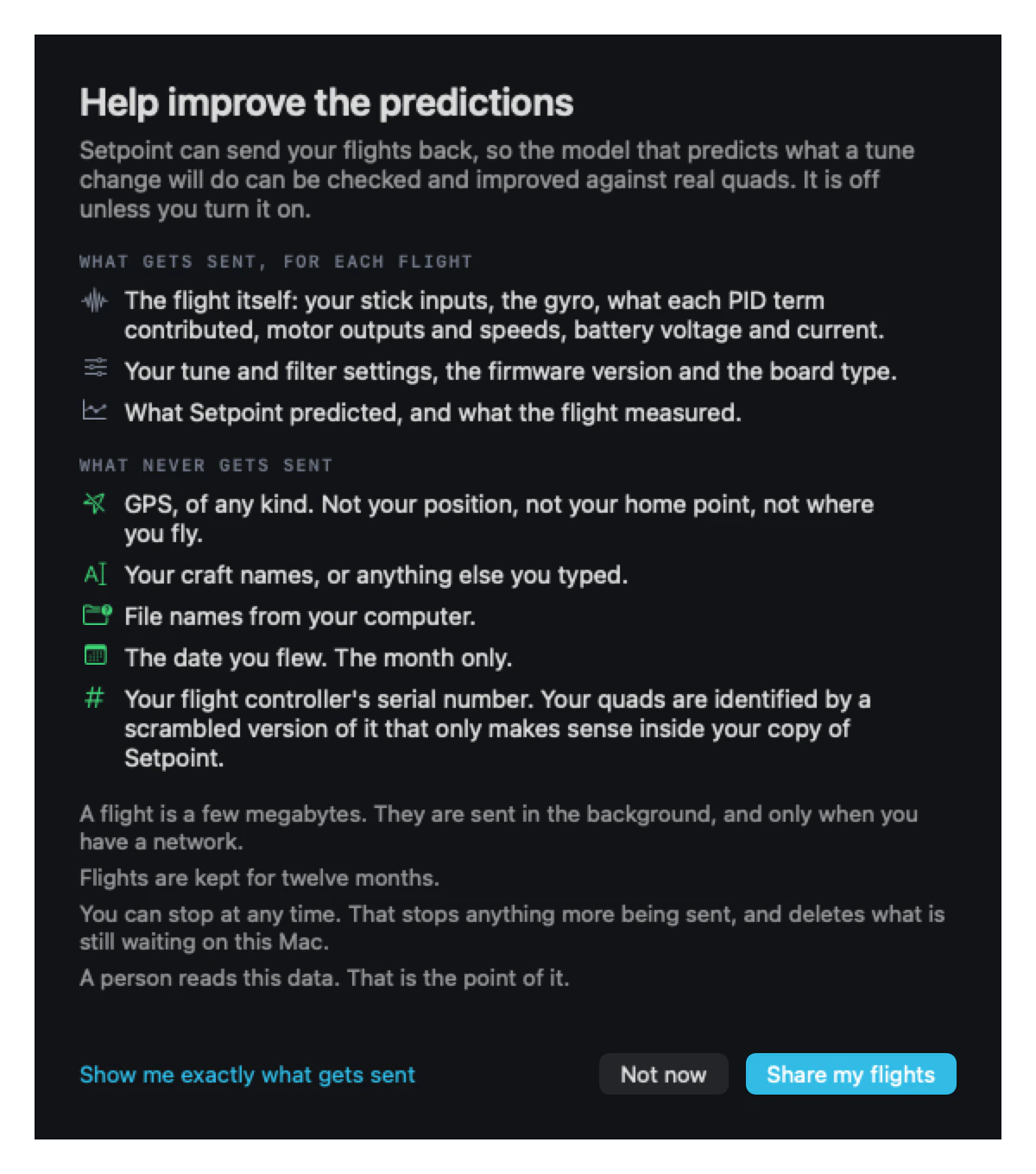
Flight sharing is off unless you turn it on. It is what lets the predictions be checked against real quads, so what it sends is the flight itself: sticks, gyro, each PID term’s contribution, motors and battery, with your tune, the firmware version and the board type.
What it leaves out: GPS of any kind, craft names, file names, the flight controller’s serial number, and any date finer than the month. Quads are identified by a scrambled version of the serial that only means anything inside your copy of Setpoint, so the same airframe under a new owner is an unrelated quad.
That makes your flights hard to link to you casually. It does not make them anonymous: flight data is fairly distinctive in aggregate.
You can stop at any time. That stops anything more being sent, and clears what is still waiting on your Mac. Flights that have already been sent are kept for twelve months.
How accurate the numbers are
Provisional figures, from testing that is still in development. They check the one thing everything else here depends on: reading a step response from a flight. Setpoint’s predictions are read the same way. Below, the average error against a known answer.
Linear
I term relax, the D boost, TPA and the limits are off, so there is exactly one right answer.
As flown
Everything on, scored against a 50 deg/s step.
The community tools disagree with each other by several points of overshoot on the same log, so none of them can be the reference. Instead, the flights of six real quads, two with chirp sweeps and four feedforward-heavy quads, had their exact sticks and throttle flown through a known model of each quad. That gives a flight whose true step response is known. Each was read clean, and again with the real flight’s own gyro noise added. The analysis settings were checked on quads they were not chosen on, and scored as well there.
Two halves of the same real flight differ by more than any of these errors: about 7 points of overshoot on average. That spread is why Setpoint reads what the whole flight says, and why a longer flight with more varied stick improves a measurement most. With nothing changed, the quad’s own Betaflight release flying its measured model lands within 1.2 points of overshoot and 1.2 ms of rise of the flight itself, on every axis of the two sweep quads. Not tested yet: predicting a change, flying it, and comparing the two. That is the next test.
What you need
- Logs
.bbl,.bfland.txt. Betaflight 2025.12 or newer to fly the sweep.- Over USB
- Reads and writes the tune and clears onboard blackbox flash. It will not touch anything while the quad might be armed. Logs on an SD card have to be pulled, because Betaflight’s erase does nothing for a card.
- Filters
- On the releases listed above, a filter change is predicted, noise included. On any other, changing a gyro filter sets the stored model aside, naming what moved. Change PID gains and it carries on: the model describes the airframe, and gains belong to the tune.
- Requires
- macOS 15 or later, Apple silicon.
Fly the sweep once. Stop guessing after that.
Betaflight only. Nothing here is compromised to support anything else.